UI/UX design continues to be one of the fastest-growing creative-tech careers worldwide. With thousands of fresh graduates, online learners, and self-taught designers entering the field every year, the competition is stronger than ever. To crack a UI/UX Designer interview, you need more than creativity or software skills; you need clarity of fundamentals, structured thinking, portfolio storytelling, and the confidence to defend your design decisions using logic, psychology, and data.
This complete guide walks you through everything interviewers expect in 2025: UI vs UX basics, career paths, design thinking, real interview questions, UX laws, accessibility, design systems, visual hierarchy, user research, metrics, and more.
Let’s dive deep into becoming a standout UI UX Designer.
Every UI/UX interview, literally every single one, starts with this foundational question. If you can explain UI vs UX clearly, your confidence shines and it sets the tone for the rest of the interview.
Understanding the difference between UI and UX is essential for any design, product, or front-end role. While UI (User Interface) focuses on what users see, UX (User Experience) focuses on what users experience while using a product.
UI deals with the visual and interactive elements:
UX focuses on the emotional and functional journey:
“UI is what the user sees. UX is what the user experiences.”
If your fundamentals are strong, you communicate ideas better, solve problems logically, and appear naturally confident, exactly what interviewers expect from a strong UI UX Designer.
Further Reading: Nielsen Norman Group (NN/g) on UI vs UX
UI/UX design is booming globally. Companies are shifting to user-centric products, creating massive demand for skilled UI UX Designers. No matter your background tech, non-tech, arts, business this field offers multiple high-growth career paths.
Below are the most in-demand roles in 2025.
A UI Designer shapes the visual experience of digital products. This role is perfect for people who love aesthetics, layouts, and modern design styles.
A UI Designer works on:
Ideal for creatives who love visuals.
A UX Designer ensures the product is smooth, usable, logical, and meaningful. They design user flows and structure the product experience.
You’ll work on:
Perfect for analytical thinkers who enjoy problem-solving.
A UX Researcher studies how users think, behave, and interact. They provide insights that guide UI/UX decisions.
You’ll work on:
Great for people who love psychology + analytics.
This is a hybrid UI + UX + strategy role. Product Designers work closely with business teams and engineers.
You’ll handle:
Ideal for those aiming for leadership.
IxD designers specialise in micro-interactions, animations, gestures, and transitions.
You’ll work on:
Great for creatives who love motion design.
Visual Designers handle branding, illustrations, marketing creatives, and high-end visual storytelling.
You’ll work on:
Perfect for artistic minds.
Words inside digital products matter. UX Writers craft micro-copy that guides users.
You’ll create:
Ideal for storytellers.
IA specialists organize digital information so users easily find what they need.
You’ll work on:
Great for people who love clarity & structure.
Brands today need consistent UI across products. That’s where design systems come in.
You’ll create:
With experience, you can grow into leadership roles.
Responsibilities include:
The Design Thinking framework is one of the most popular methodologies used in product design.
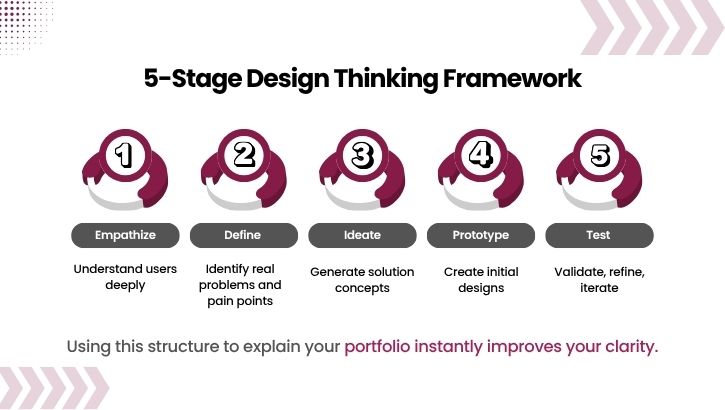
Using this structure in your portfolio storytelling instantly makes you look more mature and industry-ready.
These are often tested in interviews.
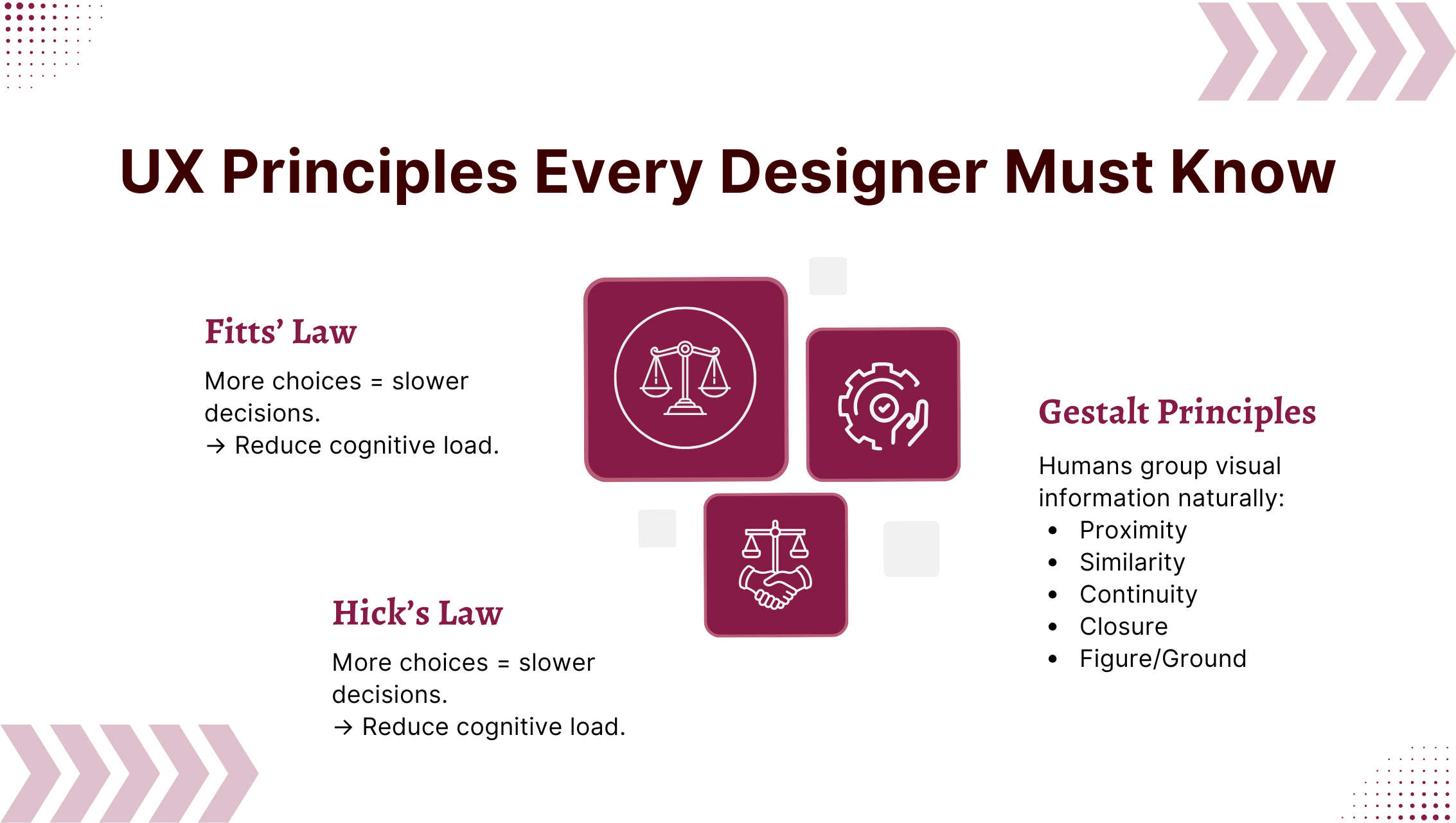
The time to click a target depends on its size + distance.
→ Make primary CTAs large and reachable.
More choices = slower decisions.
→ Reduce cognitive load.
Humans group visual information naturally:
These principles form the core of visual decision-making.
Scenario: Redesigning a job portal with high registration drop-offs.
Your interview-ready solution:
Real-world examples make you instantly credible.
Most users don’t read they scan. Strong visual hierarchy helps users focus on what matters.
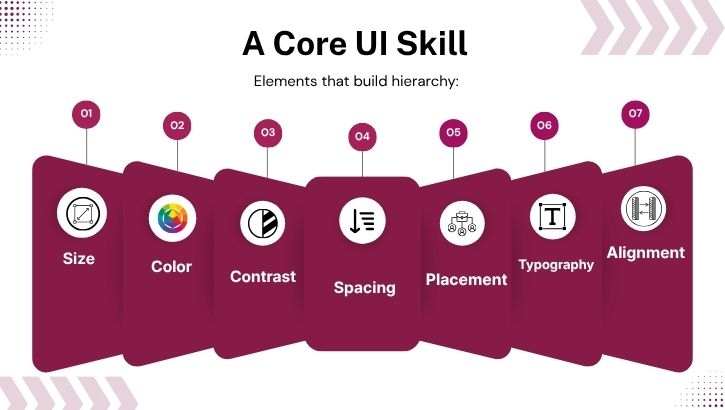
Hierarchy depends on:
Interviewers want to hear “why” behind your decisions, not just “what.”
A solid answer includes:
A structured research explanation makes you sound like a senior UI UX Designer.
Great designers build inclusive products. Accessibility is not optional.
Design systems ensure seamless UI consistency across a brand.
Design system knowledge shows that you think like a product-level designer.
Pick a well-known app and break it down using UX laws.
Example: Zomato
Demonstrate analytical thinking.
Interviewers expect metrics.
Examples:
This shows you design for outcomes, not just aesthetics.
A UI UX Designer should explain:
Companies prioritize designers who understand real-world constraints.
A strong answer should include:
This question tests your motivation and clarity.
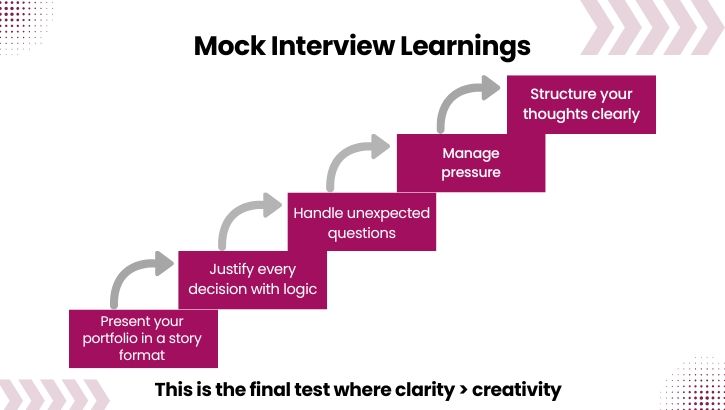
In interviews, clarity > creativity.
Your Path to Becoming a Strong UI UX Designer in 2025
To crack any UI/UX Designer interview, focus on:
With deliberate preparation and real-world clarity, you can confidently secure UI/UX design roles across startups, digital agencies, product companies, and top multinational organizations.
Take FREE UI/UX Skill Tests and get certifications