





Table of Contents
- 1.
- 1.1
- 2.
- 2.1
- 3.
- 4.
- 5.
- 6.
- 6.1
Data analysts spend a significant amount of time on repetitive tasks such as cleaning messy datasets, writing SQL queries, and building dashboards. While these tasks are essential, they can be time-consuming and often reduce the time available for deeper analysis and decision-making. This is where utilizing Generative AI for Data Cleaning and analytics workflows is rapidly changing how modern analysts work.
Generative AI tools can now assist with data preparation, automate SQL query creation, and even suggest insights for dashboards. Instead of manually handling every step, analysts can use AI to speed up workflows and focus more on interpreting results and supporting business decisions. This shift is not just about convenience; it is becoming a competitive advantage in the analytics job market.
Companies increasingly expect professionals to work faster and smarter using AI-assisted tools. Analysts who understand how to integrate generative AI into daily tasks can improve productivity, reduce manual errors, and deliver insights more efficiently. Below, we will explore practical applications of generative AI for data cleaning, SQL, and dashboard insights in real-world analytics workflows.
Why Generative AI Is Transforming Data Analytics Workflows
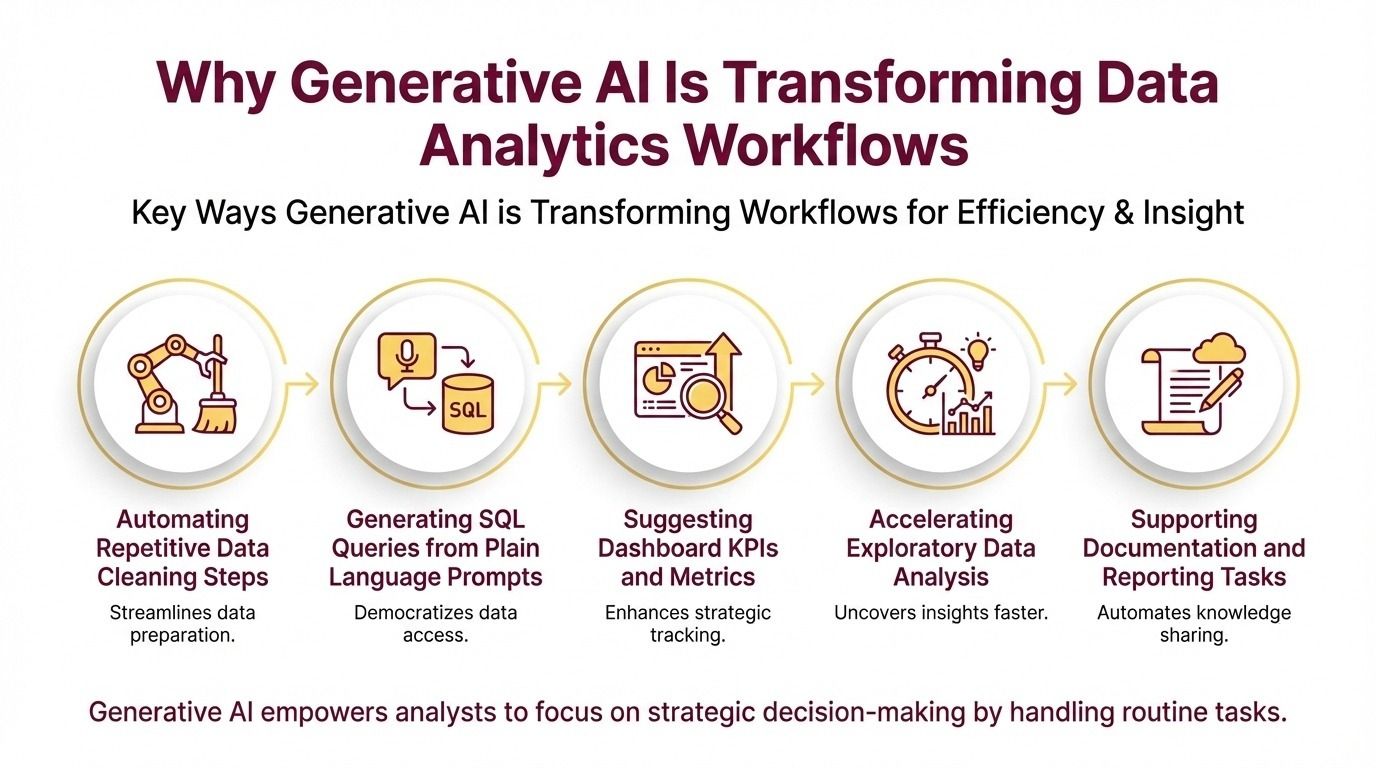
Across industries, generative AI is reshaping the performance of data analytics tasks. Instead of manually writing complex queries, cleaning datasets line by line, or brainstorming dashboard metrics, analysts can now use AI tools to accelerate these processes. This transformation is reducing operational time and allowing professionals to focus more on strategic decision-making.
Insights on modern AI analytics highlight how generative AI assists in data preparation, exploratory analysis, and reporting. Rather than replacing analysts, these tools act as intelligent assistants that handle repetitive tasks and provide quick suggestions. The result is improved efficiency and faster turnaround times for analytics projects.
Key ways generative AI is transforming workflows:
- Automating repetitive data cleaning steps
- Generating SQL queries from plain language prompts
- Suggesting dashboard KPIs and metrics
- Accelerating exploratory data analysis
- Supporting documentation and reporting tasks
As companies adopt AI-driven workflows, hiring expectations are also shifting. Analysts who can combine core technical skills with AI-assisted tools gain a productivity advantage and are better positioned for high-demand roles. Generative AI is no longer experimental; it is becoming part of everyday analytics operations.
Using Generative AI for Data Cleaning
Data cleaning is one of the most time-consuming steps in any analytics project. Handling missing values, fixing inconsistent formats, removing duplicates, and standardizing datasets can take hours when done manually. Generative AI tools now help analysts automate many of these repetitive tasks, significantly improving efficiency and accuracy.
Modern tools highlighted in AI cleaning workflows can suggest data transformation steps, detect anomalies, and recommend formatting corrections. Instead of manually scanning datasets, analysts can use AI prompts to identify issues and generate cleaning scripts quickly. This reduces manual effort and speeds up project timelines.
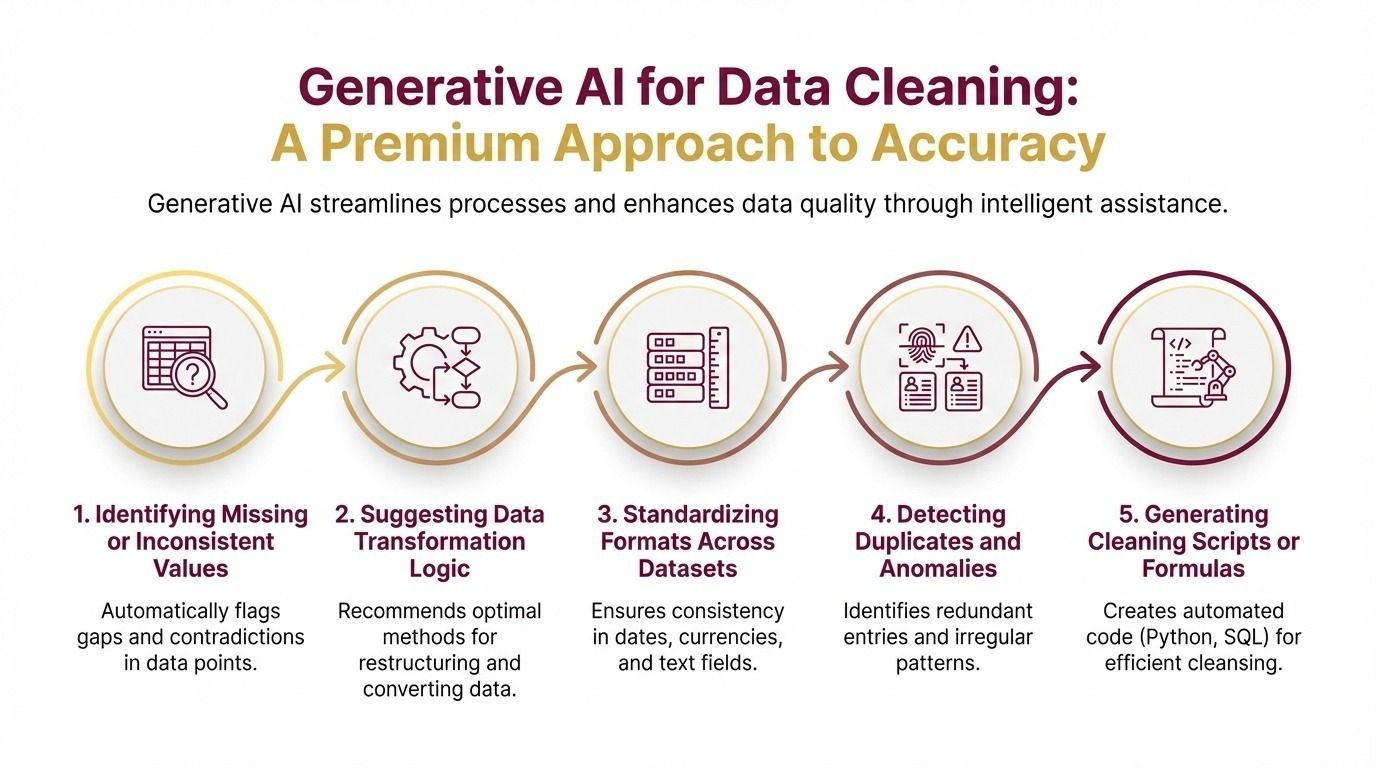
Generative AI can assist in data cleaning by:
- Identifying missing or inconsistent values
- Suggesting data transformation logic
- Standardizing formats across datasets
- Detecting duplicates and anomalies
- Generating cleaning scripts or formulas
Manual Data Cleaning vs AI-Assisted Cleaning
| Task | Manual Approach | AI-Assisted Approach |
|---|---|---|
| Missing value detection | Manual scanning | AI pattern detection |
| Data formatting | Time-consuming corrections | Automated suggestions |
| Duplicate removal | Manual filtering | AI-generated cleaning logic |
| Error detection | Trial and error | Intelligent recommendations |
| Time required | High | Significantly reduced |
Using AI for data cleaning allows analysts to focus more on analysis and insights rather than repetitive preparation work.
Using Generative AI for SQL Queries & Data Extraction
Writing SQL queries is a core skill for data analysts, but it can be time-consuming when working with complex joins, nested queries, or large datasets. Generative AI tools now help analysts write, optimize, and debug SQL queries using simple prompts. This reduces manual effort and allows professionals to focus on interpreting results rather than struggling with syntax.
AI-powered assistants can generate queries based on plain-language instructions such as “find top-selling products by region” or “identify customers who churned in the last three months.” This makes data extraction faster and more accessible, especially for beginners. Analysts can then refine the generated queries and validate outputs for accuracy.
Key benefits of using generative AI for SQL include:
- Faster query creation using natural language prompts
- Error detection and optimization suggestions
- Assistance with joins, aggregations, and subqueries
- Simplified data exploration and extraction
- Improved productivity during analysis
How Analysts Use AI for SQL Daily
Practical examples in this AI spreadsheet resource show how analysts use AI tools to generate queries, clean datasets, and automate repetitive SQL tasks.
Task → Prompt → Output → Time Saved
| Task AI Output | Example Prompt | AI Output | Time Saved |
|---|---|---|---|
| Sales analysis query | Top products by revenue last quarter | Ready SQL query | High |
| Customer segmentation | Group users by purchase frequency | Aggregation query | Moderate |
| Data filtering | Remove duplicate customer entries | Cleaning query | High |
| Join multiple tables | Combine orders and customer tables | Join-based query | High |
Generative AI helps analysts write better queries faster while maintaining accuracy through human validation.
Using Generative AI for Dashboard & Insight Generation
Generative AI is also transforming how analysts design dashboards and generate insights. Instead of starting from scratch, analysts can use AI tools to suggest key performance indicators (KPIs), visualization formats, and data storytelling approaches. This speeds up reporting and helps create more impactful dashboards for stakeholders.
AI tools can analyze datasets and recommend which charts best represent trends, comparisons, or anomalies. They can also suggest business questions to explore and highlight patterns that may not be immediately visible. This allows analysts to focus more on interpreting insights and less on trial-and-error dashboard design.
Key ways generative AI supports dashboard creation:
- Suggesting relevant KPIs and metrics
- Recommending visualization types for datasets
- Generating summaries of trends and patterns
- Assisting with storytelling and presentation
- Improving clarity of insights for stakeholders
This detailed data science guide discusses the integration of AI with modern analytics workflows, highlighting the growing importance of AI-assisted reporting.
When combined with human judgment, generative AI helps analysts deliver clearer dashboards and faster business insights, improving overall decision-making efficiency.
Mistakes Analysts Make While Using AI Tools
While generative AI can significantly improve productivity, improper use can lead to errors and misleading insights. Many analysts treat AI outputs as final results without verifying accuracy, which can create serious data interpretation issues. Understanding common mistakes helps professionals use AI responsibly and effectively.
One frequent mistake is relying entirely on AI-generated queries or insights without validating results against the dataset. Another issue is using vague prompts that produce generic or incorrect outputs. Analysts must remember that AI tools assist with tasks but do not fully understand business context or data quality.
Common mistakes to avoid:
- Blindly trusting AI-generated queries or insights
- Using unclear or incomplete prompts
- Ignoring data validation and verification
- Overdependence on automation without understanding logic
- Not customizing AI suggestions to business needs
Practicing realistic scenarios through mock interviews helps analysts strengthen logical thinking and improve decision-making while using AI tools.
Generative AI should be used as a productivity assistant, not a replacement for analytical judgment. Analysts who validate outputs and apply business context can leverage AI effectively while maintaining accuracy and reliability.
How to Become an AI-Assisted Data Analyst
Becoming an AI-assisted data analyst requires combining traditional analytics skills with modern AI-driven workflows. The goal is not to replace core technical knowledge but to enhance productivity and insight generation using generative AI tools. Analysts who learn this hybrid approach can work faster and deliver higher-value results.
Start by strengthening core skills such as SQL, Excel, and data visualization. Once the fundamentals are strong, begin integrating AI tools into daily tasks like data cleaning, query generation, and dashboard planning. Consistent practice with real datasets helps build confidence and practical expertise.
Steps to become an AI-assisted analyst:
- Master SQL and data visualization fundamentals
- Learn Python for automation and analysis
- Use generative AI for data cleaning and queries
- Build AI-assisted analytics projects
- Showcase AI workflow skills in portfolio
Focus on demonstrating how AI improves efficiency and decision-making in your projects. Recruiters value professionals who can combine analytical thinking with modern tools.
With continuous learning and hands-on practice, analysts can transition from traditional workflows to AI-assisted analytics and stay competitive in the evolving data-driven job market.
Final Thoughts
Generative AI is not here to eliminate data analysts - it is here to amplify their capabilities. By automating repetitive tasks like data cleaning, SQL writing, and dashboard drafting, AI allows analysts to focus on deeper analysis, business interpretation, and strategic insights. The real advantage lies in knowing how to use AI effectively, not fearing it.
Professionals who integrate generative AI into their workflows can deliver faster results, reduce manual errors, and handle more complex datasets with confidence. Those who ignore AI may fall behind in productivity and market expectations.
The future of analytics belongs to hybrid professionals - analysts who combine strong fundamentals with AI-assisted efficiency. In 2026 and beyond, success will depend not just on technical skills, but on how intelligently you use modern tools to generate real business value.
Become an AI-Driven Data Analyst
Generative AI is quickly becoming a core part of modern analytics workflows. Analysts who know how to use AI for data cleaning, SQL generation, and dashboard insights are gaining a strong advantage in hiring and career growth. Instead of spending hours on manual tasks, AI-enabled professionals can focus on strategic thinking and business decision-making.
If you want to stay competitive in 2026 and beyond, building AI-integrated analytics skills is essential. Structured learning, real-world projects, and guided practice can help you understand how to combine traditional tools with generative AI effectively.
To build job-ready, AI-powered analytics skills and accelerate your career growth, explore the Certification in AI Powered Data Analytics and start developing the expertise companies expect from modern data analysts.