Google Ads is one of the most powerful digital marketing platforms ever built. Whether you are a business owner trying to generate leads, a student learning marketing, or a freelancer starting your career, understanding Google Ads is essential. With billions of searches happening every single day, Google Ads allows brands to reach ready-to-buy customers at the exact moment they need a product or service.
This beginner-friendly blueprint explains everything you must know,campaign types, bidding strategies, and how AI is reshaping PPC,written with a decade of professional digital marketing experience.
Google Ads is Google’s advertising platform where businesses pay to display ads on search results, YouTube, Gmail, Maps, and millions of partner websites. Unlike traditional advertising, Google Ads focuses on intent-based marketing, meaning your ads appear only when people actively search or show interest in your offerings.
With proper targeting, bidding, and optimization, Google Ads becomes a high-ROI engine that can scale any business rapidly. Even beginners can start seeing results within days if they understand how the system works.
Google Ads offers multiple campaign types, but each one has a different purpose. Choosing the right type can significantly influence your cost, performance, and conversion rate.
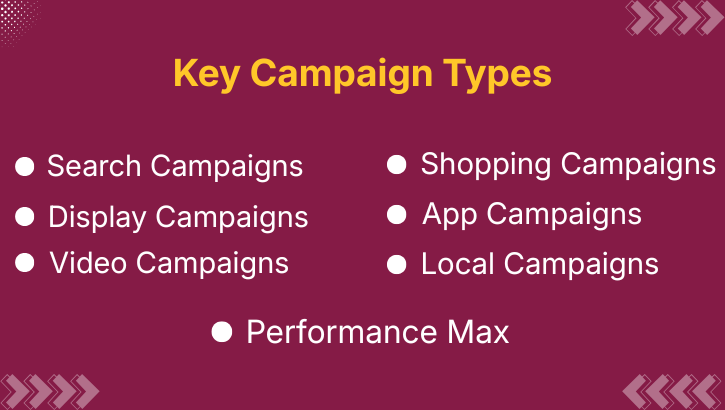
Now let’s break down each campaign type in simple, strategic terms.
Search campaigns are the backbone of PPC advertising. These ads appear when users type a keyword into Google. This makes them extremely powerful for capturing demand.
Businesses use search ads for lead generation, online sales, appointment bookings, or any action where users are actively seeking solutions.
Display campaigns appear on millions of websites, apps, and Google-owned platforms. They help brands create awareness, remarket to past visitors, and visually engage audiences.
They work best when combined with strong creatives and clear messaging.
YouTube is the second-largest search engine in the world, making video campaigns highly valuable. Brands use them to run skippable, non-skippable, bumper, and discovery ads.
Video ads help build trust, improve recall, and educate audiences better than static formats.
Performance Max (PMax) is Google’s AI-driven campaign type. It runs across Search, Display, YouTube, Maps, Discover, and Gmail automatically.
Advertisers only provide assets, goals, and audience signals ,Google’s AI handles the rest. It’s ideal for beginners and advanced marketers wanting full-funnel coverage.
Shopping campaigns display product images, prices, and store names on Google. They are widely used by ecommerce brands because they show high-intent users exactly what they’re buying before clicking.
Google automatically determines which product matches which search query.
If you have an app, Google Ads can help you increase installations and user engagement. App campaigns use machine learning to promote your app across Search, YouTube, Play Store, and Display.
Local campaigns are built to help physical businesses drive store visits, location searches, and phone calls. They work across Maps, Search, and YouTube and rely heavily on proximity-based targeting.
Bidding decides how much you pay for each click, view, or conversion. Choosing the right strategy is crucial because it directly affects both cost and performance.
Now let’s unpack these.
Perfect for beginners who want learning experience and control. However, it requires constant monitoring and adjustments. Most advertisers switch to automated bidding after gaining confidence.
If your goal is traffic (website visits, app traffic, landing page testing), this strategy ensures you get as many clicks as possible within your budget.
Google’s AI automatically adjusts bids to generate the highest number of conversions. This works best when your account already has some conversion history.
You define how much you want to pay for each conversion. Google’s bidding adjusts in real time to achieve that target. This is ideal for lead generation campaigns.
Mostly used by ecommerce businesses. You tell Google the revenue return percentage you want. The algorithm then bids accordingly to maintain profitability.
This strategy aims to deliver the highest value conversions, not just the highest number of conversions. It’s perfect when every sale or lead has different value levels.
The evolution of Google Ads has been driven by one major force: Artificial Intelligence. AI now influences nearly every step of PPC campaigns, from bidding to targeting to creatives.
Here’s how AI is reshaping PPC for beginners and professionals:
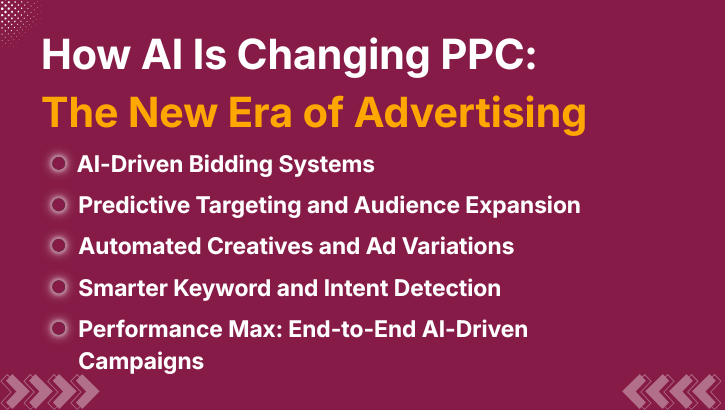
Most modern bidding strategies rely on Google’s Smart Bidding, which uses signals like device, behavior, time, location, search patterns, and historical conversion data.
This helps Google bid more accurately than any human could.
AI identifies users similar to your converters even if they haven’t interacted with your brand yet. Features like Optimized Targeting and Audience Expansion allow campaigns to reach high-value users effortlessly.
Responsive Search Ads and PMax asset groups are created using algorithms that test headlines, descriptions, images, and videos.
AI automatically finds the best combinations for higher click-through rates.
Google’s AI no longer relies only on exact keywords. Instead, it understands the intent behind search queries. This means better matching, fewer wasted clicks, and higher ROI.
Performance Max is the clearest example of how AI has taken over PPC. It handles:
Beginners benefit because the system reduces manual errors, while experts gain scalability.
Even with AI helping you, beginners often make avoidable errors. Being aware of them keeps campaigns profitable.
1. Using broad keywords without negative keywords
Beginners often choose broad keywords thinking they will get more traffic. But broad keywords attract irrelevant searches and waste the budget quickly. Without negative keywords to filter unwanted traffic, ads show to people who are not your target audience, leading to low-quality clicks and poor conversions.
2. Ignoring landing page experience
Even the best ads fail if the landing page is slow, confusing, or irrelevant. A bad landing page increases bounce rate, reduces conversions, and damages Quality Score. A good landing page must be fast, mobile-friendly, and match the ad’s message clearly.
3. Not setting proper conversion tracking
Many beginners run campaigns without tracking calls, form submissions, purchases, or leads. Without conversion tracking, you cannot measure performance or optimize campaigns. This results in poor decisions and wasted ad spend.
4. Running too many campaigns at once
Beginners often launch multiple campaigns simultaneously, leading to budget dilution and poor data collection. Ads do not get enough impressions to exit the learning phase. It’s better to focus on one or two well-structured campaigns and optimize them properly.
5. Expecting results without testing
Digital campaigns require A/B testing-headlines, creatives, keywords, audiences, landing pages. Beginners who expect instant results without testing end up disappointed. Testing reveals what works and helps reduce costs over time.
6. Not understanding search intent
Targeting keywords without understanding user intent leads to mismatched traffic. For example, informational keywords won’t convert into buyers. Proper intent understanding ensures the keyword matches what the user wants and aligns with your campaign goals.
7. Setting unrealistic budgets or target CPA
Beginners often set very low budgets or expect conversions at unrealistic costs. This restricts data, slows optimization, and reduces campaign performance. A realistic budget and CPA allow algorithms to learn and deliver better results.
Google Ads may seem complex at first, but once you understand campaign types, bidding strategies, and how AI enhances PPC performance, the platform becomes one of the most powerful tools for business growth. With precise targeting, real-time optimization, and AI-driven automation, even beginners can generate high-quality leads, boost sales, and scale their online presence. By following this blueprint, you now have the clarity to set up strong campaigns, avoid common mistakes, and confidently navigate Google Ads like a professional.
Want to master Google Ads and AI-powered marketing? Join the WhyTap Digital Marketing Course today!