
In the fast-paced world of digital marketing, understanding how your ads perform is critical. One of the key tools that marketers rely on is the pixel. But what exactly is a pixel, and how do platforms like Meta and Google use it to track conversions?
A pixel is a small piece of code added to your website that allows ad platforms to track visitor actions. These actions, whether page views, purchases, or sign-ups are known as conversion events, and they help marketers measure the effectiveness of campaigns, optimize ads, and retarget potential customers.
In this blog, we’ll break down:
By the end, you’ll have a clear understanding of pixels and how they’re essential for modern digital marketing.
A pixel is essentially a snippet of JavaScript code embedded into a website or landing page. When a user visits the page, the pixel fires and sends information back to the advertising platform.
Think of it as a digital tracking device that monitors behavior without affecting the user experience.
For example:
If a user clicks on a Facebook ad and completes a purchase, the Meta Pixel records this as a conversion. Similarly, Google uses the Google Tag to track conversions like purchases, sign-ups, or downloads.
Businesses and marketers can learn advanced tracking and ad optimization strategies with WHY TAP’s Digital Marketing Course.
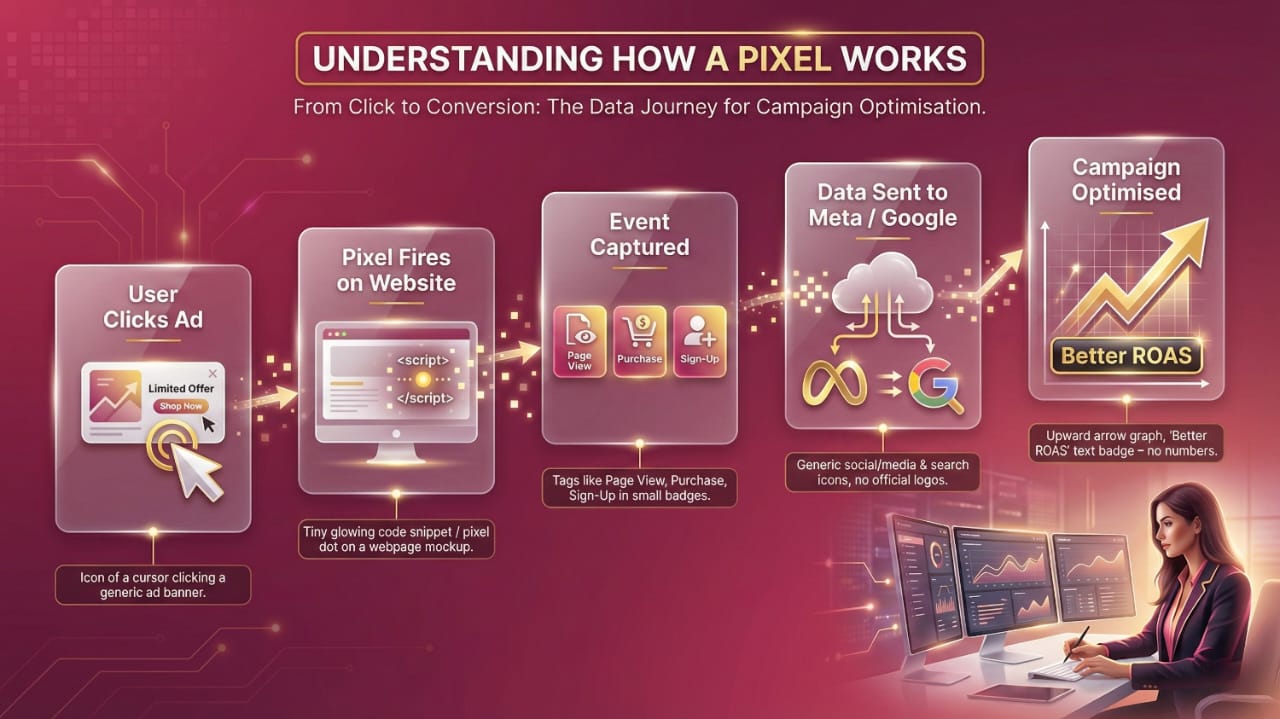
The Meta Pixel (formerly Facebook Pixel) is the most widely used tracking pixel in social media marketing.
Functionalities:
Step-by-Step Setup:
Google uses a Global Site Tag (gtag.js) or Google Tag Manager to track website actions and conversions.
Functionalities
Setup Steps
Key Events to Track with Pixels

Pixels allow marketers to track specific actions. Common events include:
Tracking these events helps marketers understand which parts of the funnel are performing well and which need optimization.
Learn how to use tracking events effectively in advanced campaigns via WHY TAP Data Analytics Course.
One of the biggest advantages of using pixels is retargeting.
Pixels feed this data to Meta or Google, allowing marketers to scale campaigns efficiently.
Shopify emphasizes that using pixels for remarketing can increase ROAS by up to 30–40%: Shopify Pixels & Tracking Guide.
Common Mistakes in Pixel Setup
For deeper guidance on implementing tracking and optimization strategies, visit WHY TAP Full Stack Development Course especially useful for technical campaign setups.
Pixels are the backbone of data-driven marketing. They allow marketers to track user behavior, measure conversions, retarget interested audiences, and optimize campaigns for maximum ROI.
Understanding what is a pixel in digital marketing and implementing it correctly can transform your advertising strategy. Businesses that master pixels can confidently scale campaigns, improve ad performance, and achieve measurable results.
For marketers looking to advance their skills in analytics, conversion tracking, and campaign optimization, WHY TAP Digital Marketing Programs provide comprehensive, industry-ready training and hands-on experience.