






Table of Contents
- 1.
- 2.
- 2.1
- 2.2
- 2.3
- 2.4
- 2.5
- 2.6
- 2.7
- 2.8
- 3.
- 3.1
- 3.2
- 3.3
- 3.4
- 3.5
- 3.6
- 3.7
- 3.8
- 3.9
- 3.10
- 3.11
- 3.12
- 3.13
- 3.14
- 4.
- 4.1
- 4.2
- 4.3
- 5.
- 5.1
- 5.2
- 5.3
- 6.
- 6.1
- 6.2
- 6.3
- 6.4
- 7.
- 8.
- 8.1
- 8.2
- 8.3
- 8.4
- 9.
Introduction
Data has become one of the most valuable assets for modern organizations, but data alone does not drive decisions. What truly creates impact is the ability to interpret, communicate, and act on that data clearly. This is why data visualization tools 2026 are now considered essential business infrastructure rather than optional analytics add-ons.
In 2026, companies across industries rely on dashboards and visual analytics to monitor performance, identify trends, and support real-time decision-making. From startups tracking growth metrics to enterprises managing complex operations, visual data has become the common language between technical teams and business leaders. As data volumes increase and decision cycles shorten, the demand for intuitive and reliable visualization platforms continues to grow.
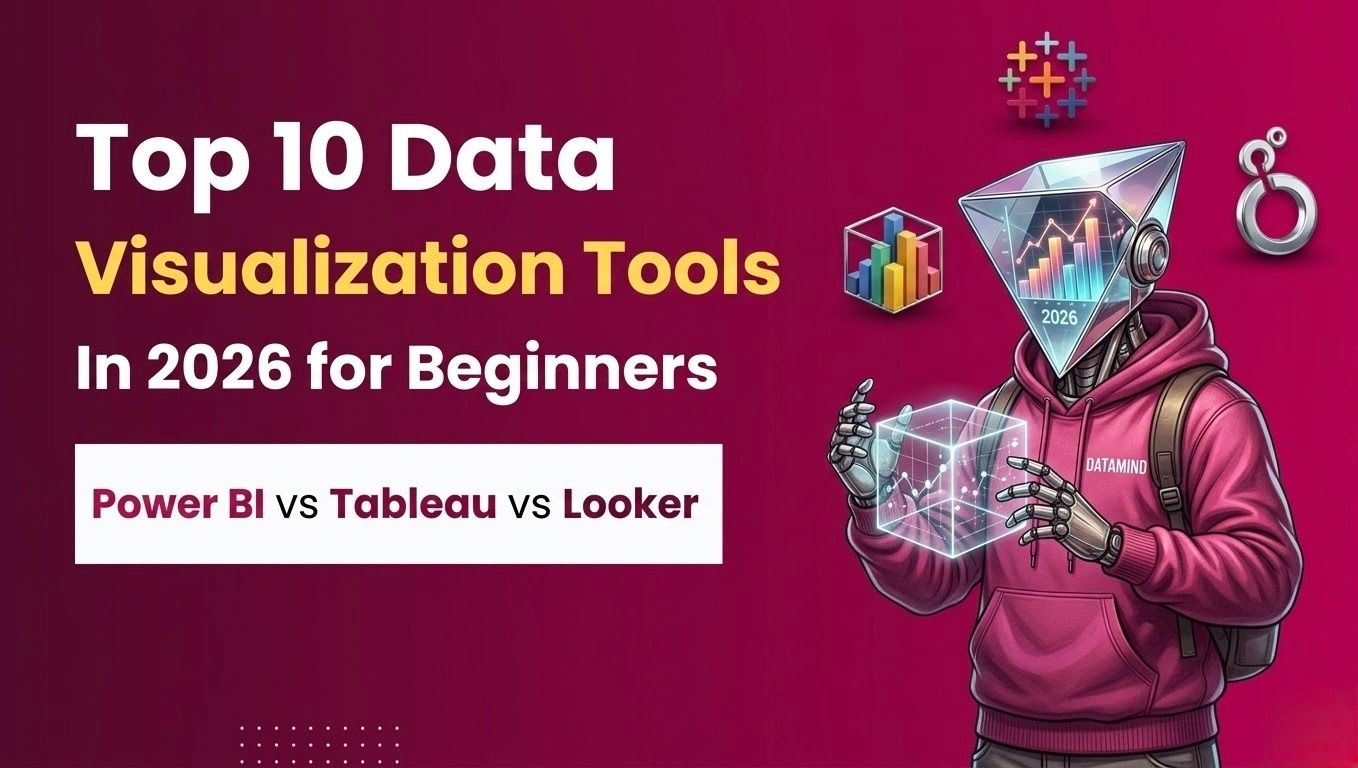
For beginners entering analytics, business intelligence, or data-driven roles, choosing the right tool can significantly shape their learning curve and career direction. Tools such as Power BI, Tableau, and Looker dominate conversations not only because of their features, but because of their widespread industry adoption. Understanding how these tools differ, and which ones are most suitable for beginners - is now a practical necessity for anyone working with data.
What Defines Modern Data Visualization Tools in 2026
Ease of Use and Accessibility
One of the most important characteristics of data visualization tools 2026 is accessibility. Tools are increasingly designed for non-technical users, allowing professionals without coding backgrounds to build dashboards, apply filters, and explore data independently. This shift supports the growing demand for self-service analytics across organizations.
Interactive and Real-Time Dashboards
Modern tools priorities interactivity. Static charts are no longer sufficient. Users expect dashboards that allow drilling down into metrics, comparing time periods, and responding to real-time data changes. These capabilities help teams react faster to operational and market shifts.
Integration and Scalability
Today’s visualization platforms must integrate seamlessly with cloud databases, spreadsheets, CRM systems, and enterprise software. Scalability is equally important, tools must work for individuals, teams, and large organizations without requiring complete platform changes.
Industry Use Cases of Data Visualization Tools in 2026
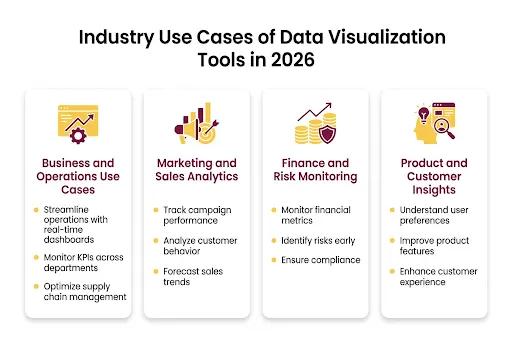
Data visualization is no longer limited to analytics teams alone. In 2026, organisations across industries rely on visual dashboards to align teams, reduce decision delays, and improve operational transparency. The growing adoption of data visualization tools 2026 reflects how visual insights are now embedded into everyday workflows.
Business and Operations Use Cases
In business operations, dashboards are used to track key performance indicators such as revenue growth, operational efficiency, and customer acquisition. Managers rely on centralized dashboards to compare performance across regions, departments, and time periods. Visual alerts and trend indicators allow leaders to identify risks early and take corrective action faster than traditional reporting methods.
Marketing and Sales Analytics
Marketing teams use visualization platforms to analyse campaign performance, customer behaviour, and conversion funnels. Interactive dashboards help teams understand which channels generate the highest return on investment and where customer drop-offs occur. Sales teams use visual reports to track pipeline health, forecast revenue, and monitor individual performance.
Finance and Risk Monitoring
Finance departments depend on dashboards for budget tracking, expense analysis, and profitability reporting. Visual comparisons between planned and actual performance make it easier to identify overspending or inefficiencies. In regulated industries, dashboards also support compliance tracking and risk monitoring by highlighting anomalies in financial data.
Product and Customer Insights
Product teams increasingly rely on data visualization to understand feature usage, customer engagement, and retention patterns. Heatmaps, trend lines, and cohort analysis visuals help teams priorities improvements based on real user behaviour rather than assumptions. This practical application reinforces the importance of strong data dashboard tools in modern product development.
Power BI vs Tableau vs Looker: Understanding the Core Differences
Power BI Overview
Power BI is widely recognized for its ease of use and strong integration with Microsoft products. Its interface is familiar to Excel users, making it a common starting point for beginners. Power BI supports rapid dashboard creation and is widely adopted in corporate environments.
Tableau Overview
Tableau is known for its advanced visual capabilities and flexibility. It allows users to explore data visually with a high degree of customization. While it requires a steeper learning curve than Power BI, it is often preferred by analysts who focus heavily on visual storytelling.
Looker Overview
Looker is a cloud-native platform designed for governed analytics. It emphasizes consistency in data definitions through its modeling layer, making it suitable for organizations with complex data environments. Looker is commonly used in technology-driven companies with mature data stacks.
Top 10 Data Visualization Tools in 2026
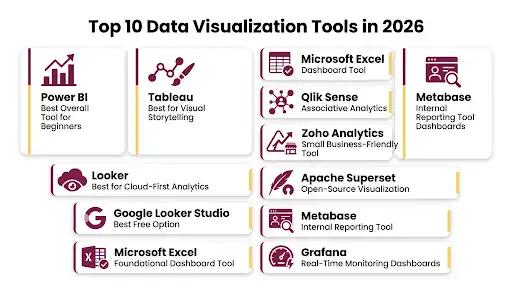
Power BI - Best Overall Tool for Beginners
Power BI remains one of the most accessible platforms for beginners. Its balance of usability, pricing, and enterprise relevance makes it a strong first choice for those learning visualization for beginners.
Tableau - Best for Visual Storytelling
Tableau excels at creating detailed and visually compelling dashboards. It is particularly valuable for users who need to present insights to stakeholders through clear visual narratives.
Looker - Best for Cloud-First Analytics
Looker is designed for organizations that prioritise cloud infrastructure and centralized data governance. It is best suited for teams that require consistent metrics across multiple departments.
Google Looker Studio - Best Free Option
Looker Studio offers basic dashboarding capabilities at no cost. It is widely used for marketing analytics and lightweight reporting, especially by individuals and small teams.
Microsoft Excel - Foundational Dashboard Tool
Excel continues to play a role in data analysis and visualization. With advanced features such as Power Query and Power Pivot, it supports dynamic dashboards and serves as a stepping stone to larger BI platforms.
Qlik Sense - Associative Analytics Platform
Qlik Sense enables users to explore data relationships freely. Its associative engine supports flexible analysis beyond predefined queries.
Zoho Analytics - Small Business-Friendly Tool
Zoho Analytics is commonly adopted by small and mid-sized businesses due to its affordability and simple dashboard creation process.
Apache Superset - Open-Source Visualization
Apache Superset is an open-source platform used primarily by technical teams. It offers strong customization options but requires SQL knowledge.
Metabase - Internal Reporting Tool
Metabase focuses on simplicity and quick setup. It is frequently used for internal dashboards and basic reporting needs.
Grafana - Real-Time Monitoring Dashboards
Grafana specialises in real-time data visualization, particularly for infrastructure monitoring and operational metrics.
Power BI vs Tableau vs Looker: Feature Comparison
Learning Curve
Power BI is generally considered the easiest for beginners. Tableau requires more practice, while Looker is best suited for users familiar with data modeling concepts.
Cost and Accessibility
Power BI and Looker Studio offer lower entry costs, while Tableau and Looker are typically used in larger enterprise environments with higher budgets.
Use-Case Alignment
Power BI fits general business reporting, Tableau supports deep visual exploration, and Looker excels in cloud-based, governed analytics setups.
Visualization for Beginners: How to Choose the Right Tool
Start with Fundamentals
Beginners benefit from starting with tools that offer immediate feedback and quick wins. Excel and Power BI help build foundational understanding without overwhelming complexity.
Align with Career Goals
Those aiming for corporate analytics roles often start with Power BI, while those targeting advanced analytical roles may progress toward Tableau or Looker.
Focus on One Tool First
Depth matters more than quantity. Mastering one platform thoroughly provides transferable skills applicable across other data dashboard tools.
Learning Path and Skill Requirements for Data Visualization in 2026
While tools continue to evolve, the foundational skills behind effective visualization remain consistent. Professionals who succeed with data visualization tools 2026 focus not only on software mastery but also on analytical thinking and communication.
Core Skills Every Beginner Should Develop
Understanding basic chart types, data cleaning principles, and simple calculations is essential before building dashboards. Beginners should focus on clarity over complexity, ensuring that visuals answer specific business questions rather than displaying excessive metrics.
Tool-Specific Skill Progression
Most learners begin with spreadsheet-based dashboards to understand data relationships. From there, tools like Power BI or Looker Studio help users transition into structured dashboards with filters, slicers, and interactive elements. Advanced users may later adopt Tableau or Looker to handle complex datasets and enterprise-level analytics.
Communication and Storytelling Skills
Effective visualization is not just about charts; it is about explaining what the data means. Professionals who can present insights clearly - using visuals to support narratives — are more valuable to organisations. This skill becomes increasingly important as stakeholders expect actionable insights, not raw numbers.
Career Impact of Visualization Skills
Data visualization capabilities are now expected in roles such as business analyst, marketing analyst, operations analyst, and product analyst. As companies invest more in analytics infrastructure, professionals who can confidently work with modern visualization platforms gain a measurable career advantage.
Why Data Visualization Skills Matter in 2026
The ability to translate data into visual insights is now a core business skill. Employers increasingly expect professionals to communicate findings clearly through dashboards rather than static reports. As organisations continue to adopt data visualization tools 2026, professionals who understand both the technical and business context of visualization gain a significant advantage.
Roles across analytics, marketing, operations, and product management rely heavily on visual data interpretation. This trend is expected to grow as data becomes more central to strategic planning.
Common Mistakes Beginners Make with Data Visualization Tools
Even with powerful platforms, poor visualization choices can reduce clarity and impact. Avoiding common mistakes helps beginners use data visualization tools 2026 more effectively.
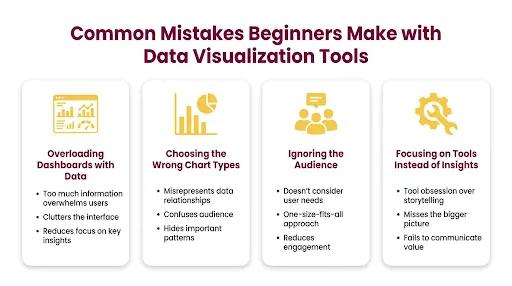
Overloading Dashboards with Data
One of the most frequent mistakes is adding too many charts and metrics to a single dashboard. Excessive information overwhelms users and hides key insights. Effective dashboards prioritise the most important metrics and remove unnecessary visuals.
Choosing the Wrong Chart Types
Using complex or inappropriate chart types can confuse audiences. Beginners should focus on simple bar charts, line charts, and tables before experimenting with advanced visuals. Clarity should always take precedence over design complexity.
Ignoring the Audience
Dashboards should be designed based on who will use them. Executives, managers, and analysts have different information needs. Failing to tailor dashboards to the audience often leads to underutilised reports.
Focusing on Tools Instead of Insights
Learning a tool is important, but insights matter more. Beginners sometimes focus on features rather than understanding what the data is communicating. Strong visualization starts with a clear question and ends with a clear answer.
Conclusion
Data visualization is no longer a specialised technical skill, it is a foundational capability for modern professionals. As organisations continue to prioritise speed, clarity, and data-driven decision-making, the relevance of data visualization tools 2026 will only increase.
For beginners, starting with the right tool and building strong fundamentals is critical. Power BI offers accessibility, Tableau provides depth, and Looker supports scalable cloud analytics. Choosing the right platform depends on learning goals, industry needs, and long-term career direction.
In an increasingly data-driven world, the ability to turn numbers into insight is what separates information from impact.